Merging Trades
< 1 min read
If you import trades and notice that there are multiple parts of your trades (scale in/out is being imported as separate trades), then you can merge the two trades into one. To merge trades:
- On the left navigation menu, go to your journal.
- Click on Daily Trades
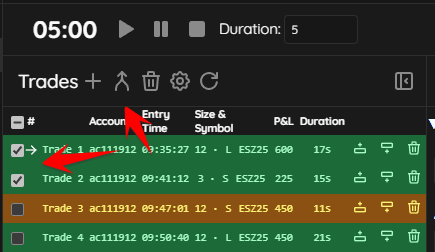
- Tick the checkbox next to the trades that you wish to merge.
- Click the merge icon (two arrows connecting in the top menu.
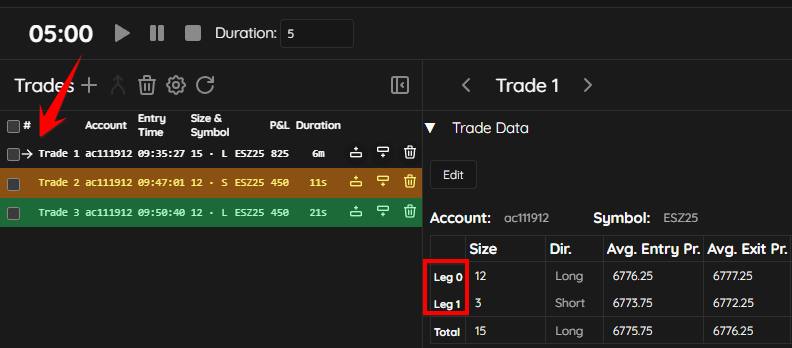
- The trades will now be merged and you will see a right pointing arrow indicating that the trades were merged. You will also see “Leg 0” and “Leg 1” under Trade Data, indicating the scale in/out of the position..